Your cloud or data center
IRIS runs as containers in your cloud account or data center. A Terraform template builds a host on AWS; the Azure and Google Cloud templates use Azure Container Apps and Google Cloud Run.
Deployment. On-premises. Any cloud.
Install a verified release bundle and give each source a read-only account, where it offers one. Then activate the license once, as the checklist shows.
IRIS runs as containers in your cloud account or data center. A Terraform template builds a host on AWS; the Azure and Google Cloud templates use Azure Container Apps and Google Cloud Run.
Releases arrive as verified bundles, which aren’t signed today. IRIS pulls no updates at run time; your team installs each new release when it chooses.
IRIS only reads your sources. Give it read-only accounts where a source offers them; the security pack covers the sources that don’t.
IRIS can send its outbound HTTPS connections through your proxy, so your existing egress rules and proxy logs cover them.
Capabilities vary by edition.
An example install with entries: IRIS on one cloud VM, scanning a PostgreSQL database called crm and a Microsoft 365 tenant.
| Item | Owner | Example entry | How to check it |
|---|---|---|---|
| Host | Platform team | iris-01, a Linux VM in your cloud account, with no inbound access from the internet | Only your team can reach the IRIS web app, through your HTTPS edge |
| Release | Platform team | IRIS v1 release bundle, installed November 7, 2026 | The installer checks the bundle’s checksum manifest; confirm that checksum with Sylox through a second channel |
| Database account | DBA for crm | Login iris_reader with USAGE on schema sales and SELECT on its tables, nothing else | Run the write check below: the first two queries return no rows |
| Microsoft 365 account | Microsoft 365 admin | An app registration with read-only Microsoft Graph application permissions, admin-consented and tenant-wide | Review the consented permissions on the app registration in the Entra admin center |
| Network paths | Network team | iris-01 to crm on port 5432; to Microsoft 365 during its scans; to a time source; to the license service at activation | Compare with the security pack’s host list, which adds install-time and optional hosts |
| License and first scan | IRIS administrator | License activated online once; each connection tested, then crm scanned | Each connection shows as connected, and the scan’s coverage record lists any table it couldn’t read |
Sylox wrote these queries from the PostgreSQL documentation and hasn’t yet run them in our lab. Run them as any login: rows from queries 1, 2 and 4 are ways the IRIS login could write, and query 3 lists its roles.
-- Written from the PostgreSQL 18 documentation; every function used exists from version 14. Self-managed or managed.
-- Replace iris_reader with your IRIS login. Each row returned is a way it could write.
-- 1. Tables, views, foreign tables and materialized views it could change or owns.
SELECT n.nspname AS schema_name, c.relname AS object_name
FROM pg_class c JOIN pg_namespace n ON n.oid = c.relnamespace
WHERE c.relkind IN ('r', 'p', 'v', 'f', 'm')
  AND n.nspname NOT IN ('pg_catalog', 'information_schema')
  AND n.nspname NOT LIKE 'pg_toast%'
  AND (has_table_privilege('iris_reader', c.oid, 'INSERT, UPDATE, DELETE, TRUNCATE, TRIGGER')
       OR has_any_column_privilege('iris_reader', c.oid, 'INSERT, UPDATE')
       OR c.relowner = 'iris_reader'::regrole);

-- 2. Schemas where it can create objects or that it owns, and the database itself.
SELECT nspname FROM pg_namespace
WHERE has_schema_privilege('iris_reader', oid, 'CREATE') OR nspowner = 'iris_reader'::regrole
UNION ALL
SELECT current_database() WHERE has_database_privilege('iris_reader', current_database(), 'CREATE');

-- 3. Roles it is, belongs to or can switch into.
SELECT r.rolname, r.rolsuper, r.rolcreaterole FROM pg_roles r
WHERE pg_has_role('iris_reader', r.oid, 'MEMBER');

-- 4. Functions that run with their owner’s rights and that it can call.
SELECT p.oid::regprocedure AS definer_function
FROM pg_proc p JOIN pg_namespace n ON n.oid = p.pronamespace
WHERE p.prosecdef AND n.nspname NOT IN ('pg_catalog', 'information_schema')
  AND has_function_privilege('iris_reader', p.oid, 'EXECUTE');

-- Expect no rows from 1 and 2. From 3: iris_reader itself with both flags false, plus only
-- roles you granted on purpose; never a superuser, rds_superuser, pg_write_all_data,
-- pg_write_server_files, pg_execute_server_program or (17 and later) pg_maintain.
-- From 4: only functions you have reviewed. Not checked: sequences, MAINTAIN (17 and later),
-- default privileges on future tables and large objects. Repeat in each database IRIS will scan. A database
-- created before PostgreSQL 15 also lists public in query 2 until you revoke CREATE on it
-- from PUBLIC: a configuration change, so raise a change record first.Each step starts with the team that does it.
Platform team: provide a host. Source owners: create an account for IRIS that can only read, where the source allows it.
Platform team: install the verified release bundle on the host, after its checksum check passes.
IRIS administrator: activate the license once, online. After that, IRIS contacts it only if an admin validates.
IRIS administrator: connect the sources, test each connection and run the first scan.
The connected sources your team checks after the install.
Each source connects with the account its owner created for IRIS. The panel shows each connection’s count and last use, and each connection is tested before the first scan.
Explore integrations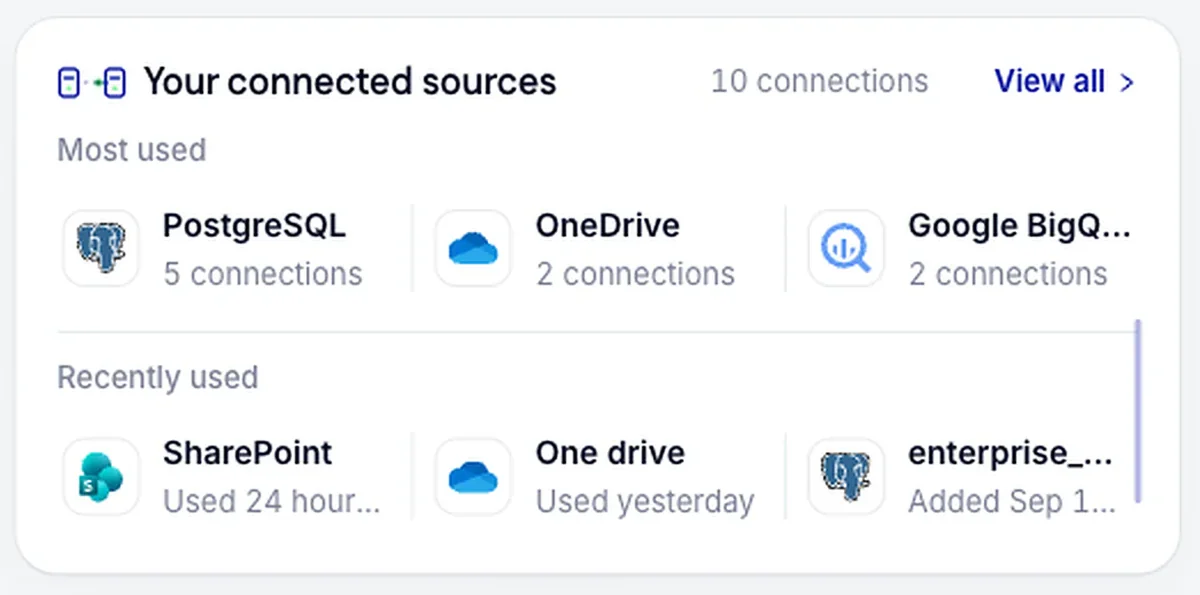
From IRIS: the license service at activation and validation, the sources you scan, and a time source. AWS Systems Manager adds its own if you manage the host with it.
Databases and file sources inside your network can be scanned with no internet access once the license is active.
The security pack lists each host with its port and purpose, including install-time connections. Request it before the install.
IRIS is customer-hosted by default: the web app and the IRIS database run on infrastructure you control. Source credentials are encrypted at rest under a key generated on your host, and findings stay in that database until you delete them.
On a host install, IRIS includes a daily backup of its database, kept on the host for seven days by default, so copy it elsewhere for recovery. On the Azure and Google Cloud templates the database is a managed service, and its backups follow that service’s settings. Support access starts on your side, because IRIS keeps no standing connection to Sylox.
Sylox holds no security certification yet, and the trust page dates each item. Before you open any firewall rule, read the architecture page for when each connection fires.
What IRIS reads and keeps, each outbound connection, and a flow-log query to check them.
Sylox’s security status, item by item, with the date it was last checked.
What happens after the first connection test, from reading the catalog to the evidence register.
IRIS can be deployed in your own infrastructure, on-premises or in any cloud, so your data stays within your environment. For Microsoft 365 and other SaaS sources, IRIS connects to those services to read the data.
Yes, after a one-time online license activation. After that, IRIS contacts Sylox only if an admin chooses to validate the license, and sources inside your network can be scanned with no internet access. Microsoft 365 and other SaaS sources need access to those services.
For production, IRIS is customer-hosted by default. Sylox-hosted environments are used only for demos and agreed pilots.
Yes. Point the connection at the replica and give IRIS the same read-only account there. Dipal Panchal, co-founder and CEO, expects large organizations to offer read-only access to a copy, and says that’s fine: an assessment shouldn’t add load to production.
No. Releases arrive as verified bundles, and IRIS pulls no updates at run time. Your team decides when to install a new release.
Not as a supported install today. IRIS runs from a verified bundle on a host, or on managed container services through the Azure and Google Cloud templates.
Book a demo to plan the host, network paths and each source account, or start with a free assessment of one database.